Inside elbow
A look around the app
Five screens, one job each — and none of them ask you to think about scheduling.
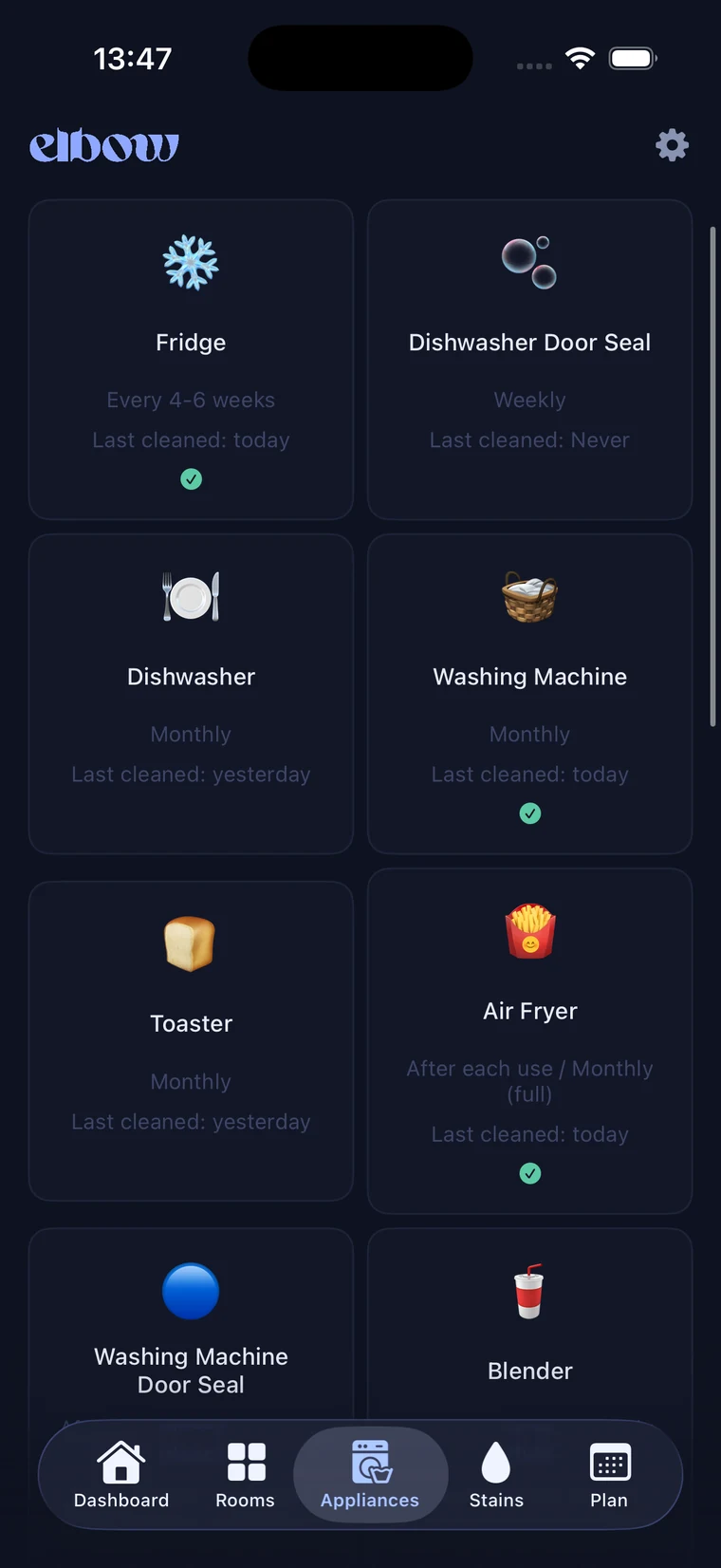
elbow remembers what needs cleaning, when — so you don't have to. Room-by-room routines, appliance care, and stain rescue in one calm little app.
Private by design · No account needed · Syncs with your iCloud
Inside elbow
Five screens, one job each — and none of them ask you to think about scheduling.
What it does
A gentle system that turns "I should really clean that" into a plan that actually happens.
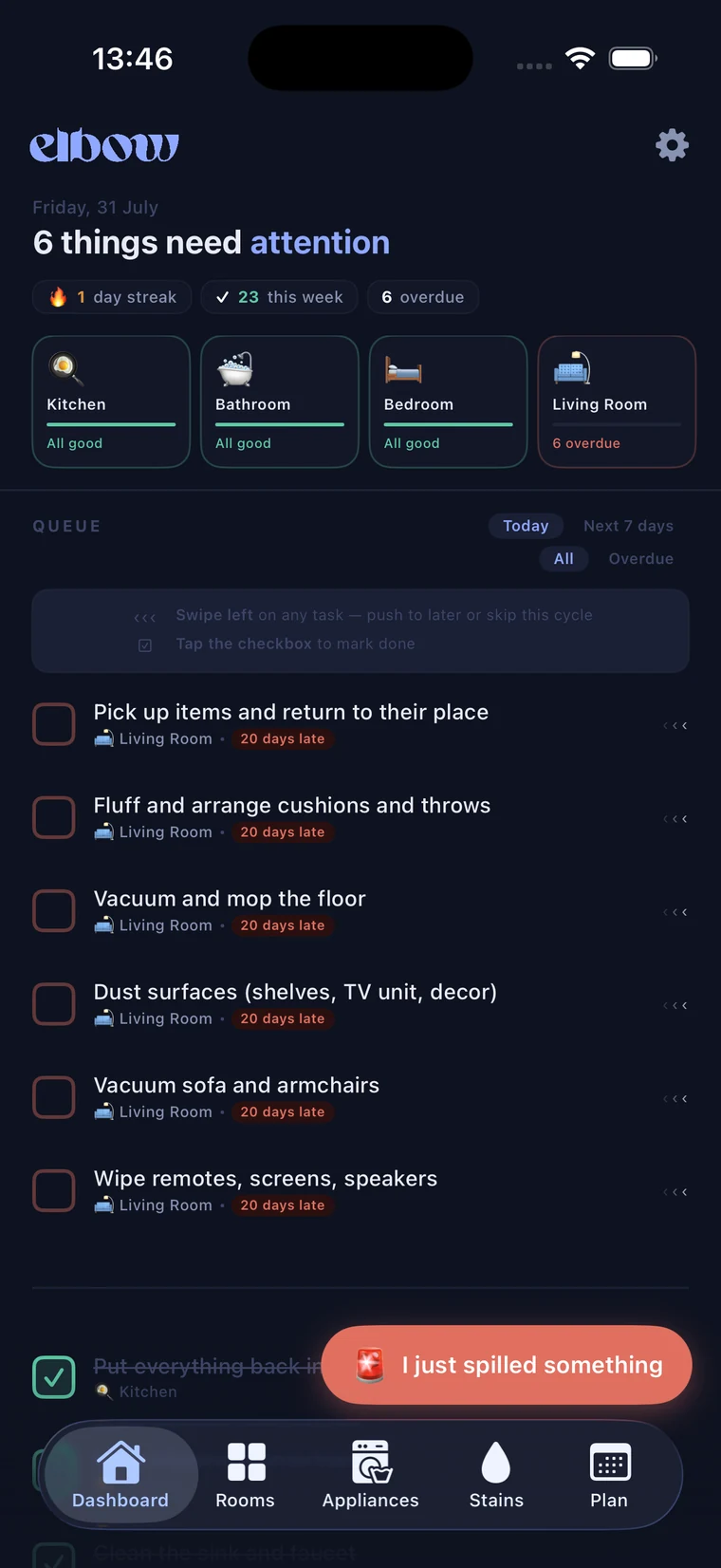
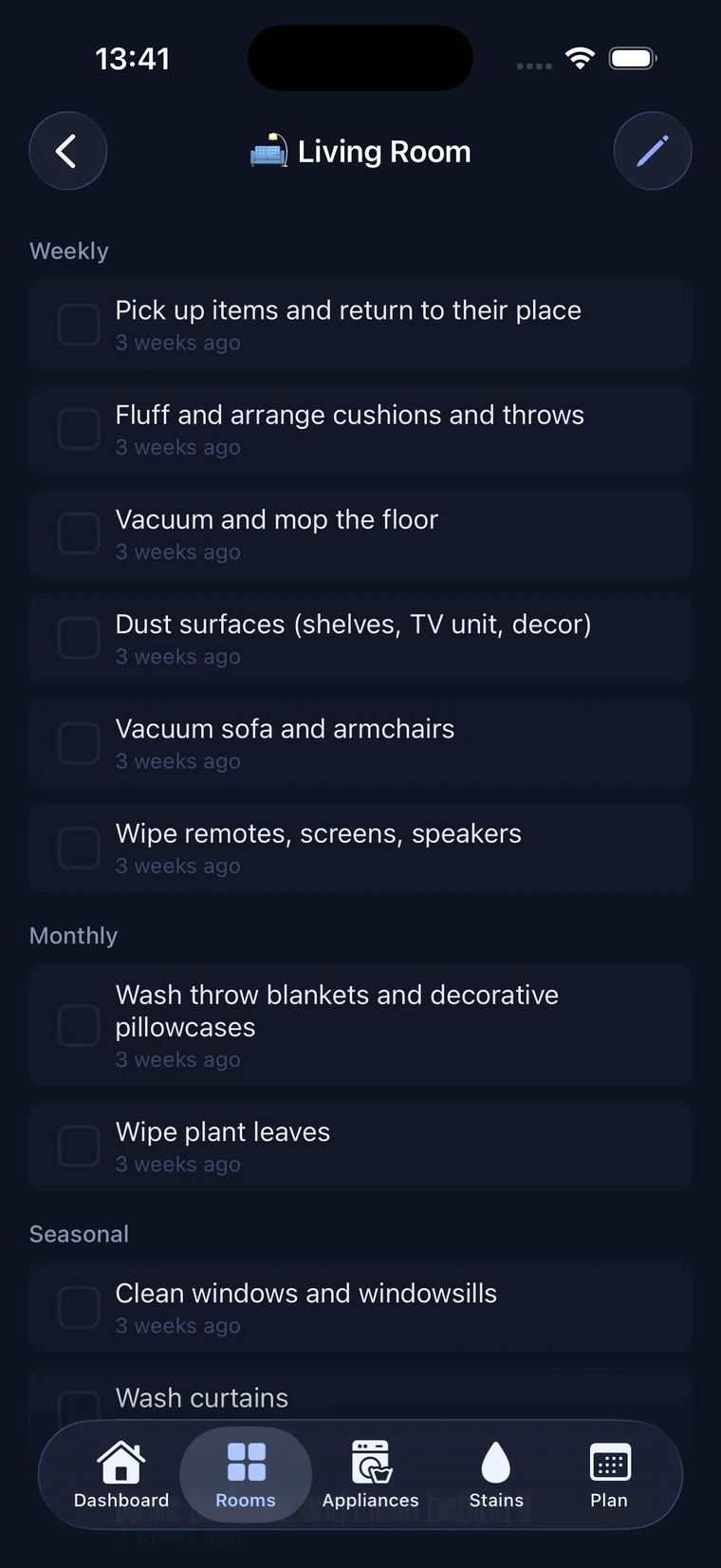
Set up the rooms you have and elbow builds a cleaning rhythm for each one — daily, weekly, seasonal — and quietly resurfaces tasks the moment they're due.
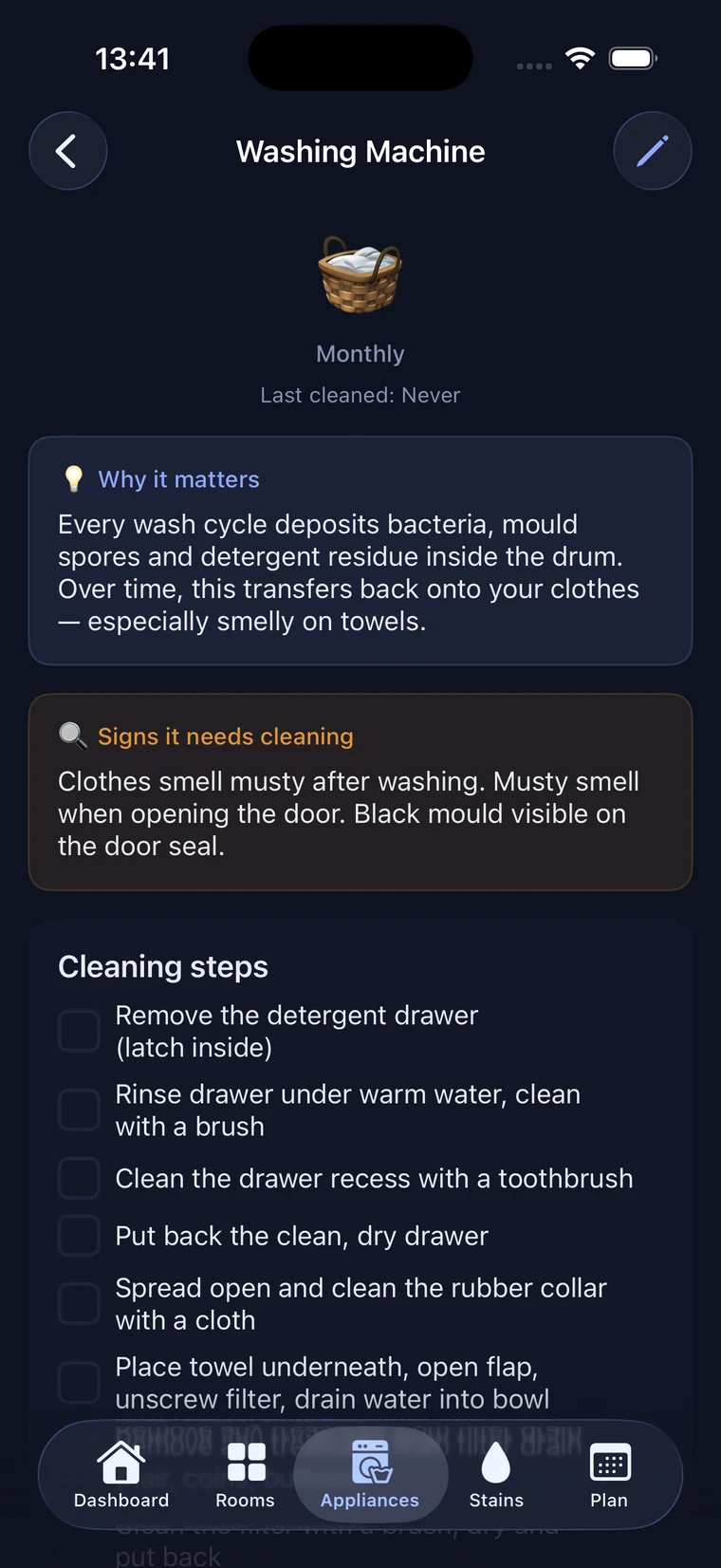
Descale the kettle, clean the washing machine, clear the extractor filter — with clear steps, why it matters, and a "last cleaned" note so nothing slips for months.
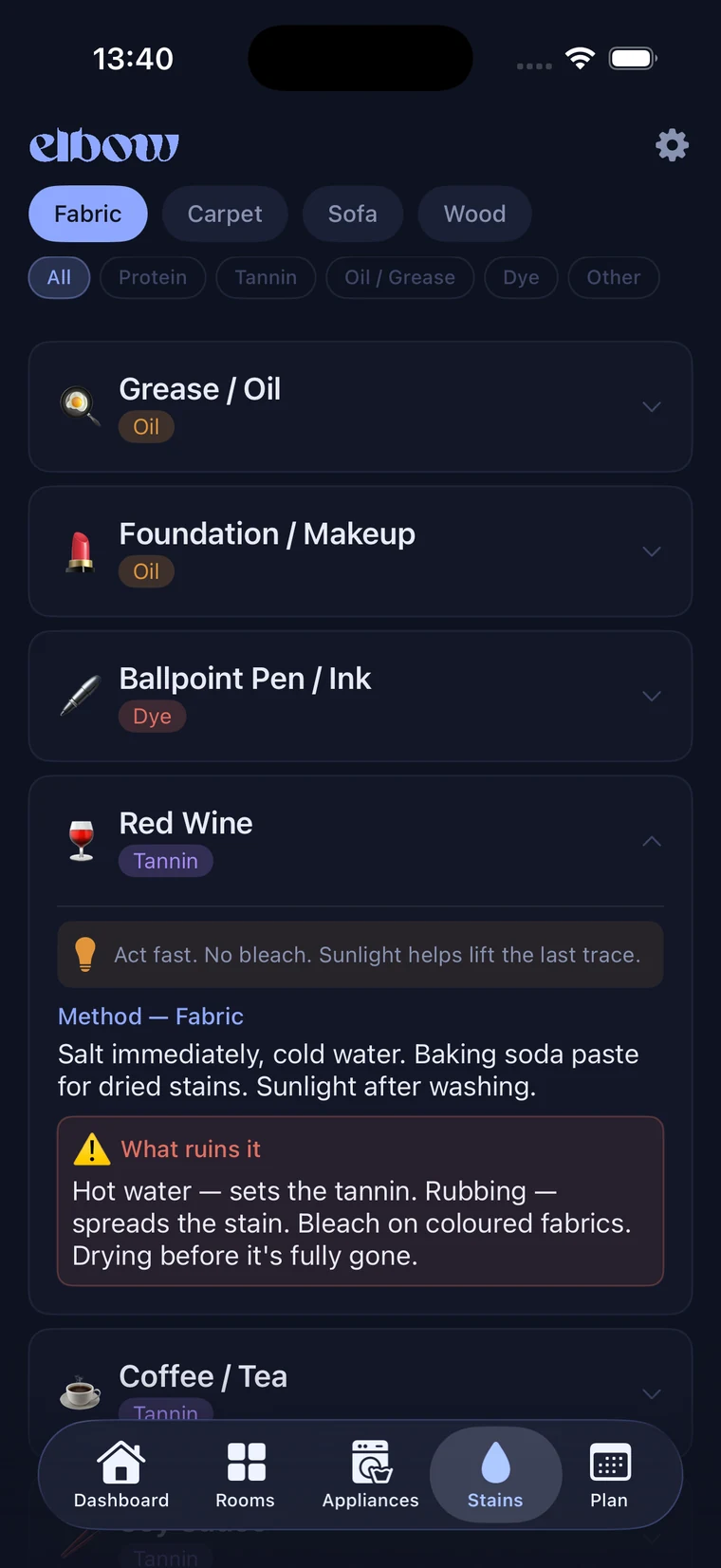
Red wine on the carpet, grease on a shirt, marker on the wall — quick, practical methods you can follow in the moment, without a frantic web search.
Bring your partner or flatmates into the same home. Everyone sees what's done and what's next, so the work stops living in one person's head.
ProA dashboard shows what's due today or across the week, and each room's health at a glance — so a busy week never turns into a backlog.
Heading away? Vacation mode pauses the nudges. Widgets keep today's tasks on your home screen. elbow bends around your life, not the other way round.
How it works
A few minutes to tell elbow about your home is all it takes.
Choose the spaces you actually have. elbow fills each one with sensible cleaning tasks you can tweak, add to, or hide.
Tick things off as you go. elbow handles the scheduling — spacing each task out and bringing it back exactly when it's due again.
Every day starts with a short, doable list instead of a vague sense that everything needs doing. That's the whole idea.
elbow has no accounts, no analytics, and no trackers. Your rooms, tasks, and history live only on your device and in your own private iCloud — we can't see any of it, and we never sell or share a thing.
 grease,
elbow is on the App Store for iPhone.